
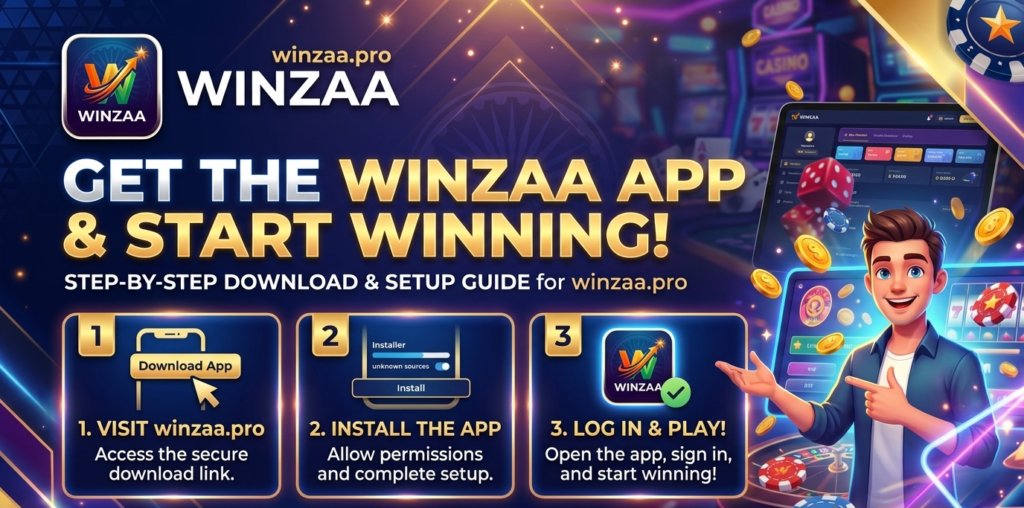
The Winzaa APK is available at winzaa.pro. The app isn’t on the Google Play Store — Google’s policy in India restricts real-money gaming apps from being listed, so APK distribution is how platforms like Winzaa operate. That means one extra step before installation, but it’s a setting change, not a technical process.
This page covers the full download and install process, what to do if something goes wrong, and answers to the questions players ask most often before their first download.
What You Need Before Downloading
Two things: an Android phone and a browser. The Winzaa app is Android-only — there’s no iOS version currently available.
Your phone also needs permission to install apps from outside the Play Store. By default, Android blocks this. Here’s how to turn it on:
- Open Settings on your phone
- Go to Security — on some devices this is listed under Privacy or Apps & Notifications
- Look for “Install unknown apps” or “Allow from this source” and enable it for your browser
The exact label depends on your phone’s manufacturer and Android version. Samsung, Xiaomi, Realme, and OnePlus all word it slightly differently, but it’s in the security settings on every device. If you’re not sure where to find it, search “install unknown apps” in your phone’s Settings search bar — that usually takes you straight there.
Once that’s done, you only need to do it once. After Winzaa is installed, you can turn the permission back off — it won’t affect the app.
How to Download the Winzaa APK
Open your phone’s browser and go to winzaa.pro. Tap the Download Android button on the homepage.
The APK file will start downloading. Depending on your connection speed, it takes anywhere from a few seconds to about a minute. You’ll see the download progress in your browser’s notification bar or download manager.
When it’s done, don’t close the browser yet — most phones show a prompt to open the file directly from the download notification. That’s the quickest way to move to installation.
Important: Only download from winzaa.pro. APK files from Telegram groups, WhatsApp forwards, or unofficial mirror sites may be outdated or modified. There’s no way to verify what’s in them, and no support if something goes wrong.
How to Install Winzaa on Your Phone
Tap the downloaded APK file. Your phone will show an installation screen with the app name and a summary of the permissions it’s requesting. Tap Install.
Installation takes under a minute on most phones. When it’s done, tap Open to launch the app directly, or find the Winzaa icon in your app drawer.
If a prompt appears asking you to scan the file with Play Protect, you can proceed — it’s a standard Android warning for any app installed outside the Play Store, not a sign that something is wrong with the file itself.
After Installation — What to Do Next
Open the app and tap Register. You’ll need your phone number for the OTP verification, and your UPI ID or bank account details for withdrawals later.
Your Welcome Bonus is credited automatically once registration is complete — no code needed. Check the Promotions section in the app for the current bonus terms before you start playing.
If you want a full walkthrough of the registration process, the registration guide covers it step by step.
If the Download or Install Isn’t Working
The install is blocked even after enabling unknown sources.
Some phones require you to enable the permission specifically for the browser you’re using, not just globally. Go back to Settings, find the unknown sources option, and make sure it’s toggled on for Chrome, Firefox, or whichever browser you downloaded the file with.
The download starts but fails partway through.
Usually a connection issue. Switch from mobile data to Wi-Fi or vice versa and try again. Also check that your phone has enough free storage — APK files need space both to download and to install.
The app installs but crashes when opening.
Try restarting your phone first. If it keeps crashing, uninstall, free up some storage space, and reinstall from winzaa.pro. Persistent crashes on older devices are usually a storage problem, not the app itself.
You see a “Parse error” during installation.
This usually means the APK file didn’t download completely. Delete the partial file and download again from winzaa.pro.
If none of the above helps, in-app support is available once you’ve registered. For pre-registration issues, use the Contact page.
Frequently Asked Questions
Is the Winzaa APK free to download?
Yes. Downloading and installing the app costs nothing.
Does downloading the APK cost mobile data?
It uses your data or Wi-Fi connection for the download, same as any file. The file size is small, so data usage is minimal even on a mobile connection.
Is there an iOS version of Winzaa?
Not currently. Winzaa is Android-only.
How do I know I’m downloading the latest version?
The download button on winzaa.pro always links to the current version. If you have an older version installed and want to update, download the latest APK from the site and install it over the existing app — your account and balance carry over.
Do I need to uninstall the old version before updating?
No. Installing a newer APK over an existing install updates the app without removing your account data. Uninstalling first will not delete your account, but it’s an unnecessary extra step.
Why does Android warn me about installing unknown apps?
Android shows this warning for any app installed outside the Play Store — it’s a built-in precaution, not a response to anything specific about Winzaa. As long as you’re downloading from winzaa.pro, you’re getting the official file.
Can I download Winzaa on a tablet?
Yes, if it runs Android. The app is designed for phones, so the layout may look stretched on larger screens, but it works.